 Quoterra
From Estimate to Submission-Ready Bid Package (Without Becoming an Ops Suite)
How commercial landscape estimators assemble a submission-ready bid package from RFP requirements and locked estimates—forms inventory, verification, and export—without claiming full e-sign or suite ops parity.
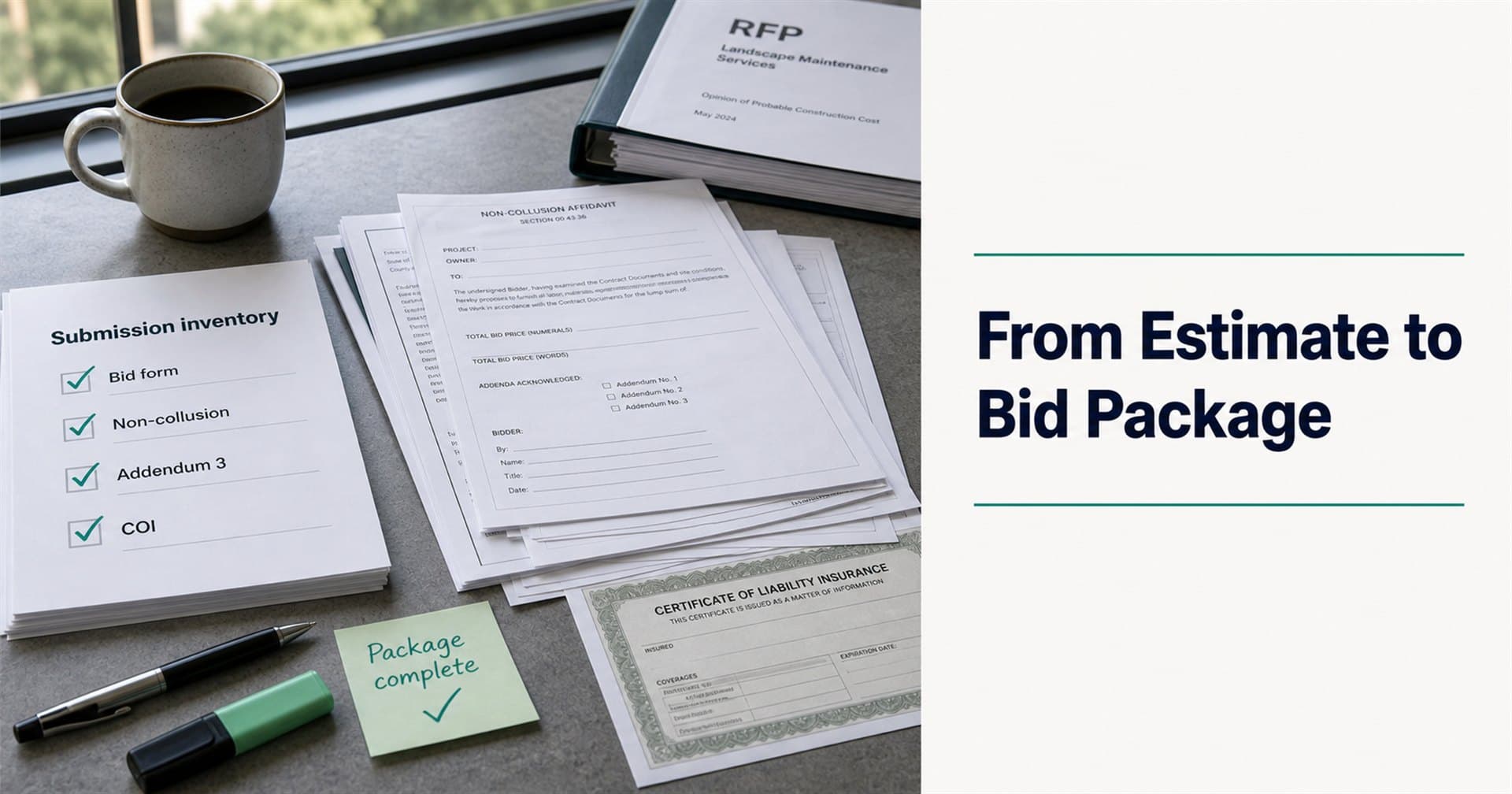
The estimate is locked. Margin looks right. Then someone asks the question that ruins Thursday afternoon:
“Where’s the signed non-collusion affidavit—and did we acknowledge Addendum 3?”
In commercial and municipal landscape bidding, the job is not finished when the number is done. The job is finished when a complete, responsive package hits the portal or the clerk’s desk—in the format the RFP demanded, with every form, certificate, and exhibit the checklist called for.
That last mile is the bid package: the assembly of requirements, pricing, maps, certificates, and forms into something submission-ready. Done well, it is boring and systematic. Done poorly, it is where weeks of estimating die on a technicality.
This guide is for estimators and bid managers. It covers what a landscape bid package actually contains, how to build it from the RFP—not from memory—and how assistive software can help without pretending to be your full ops suite or e-sign platform.
The estimate is necessary. It is not sufficient.
A priced workbook answers: What will we charge?
A bid package answers: Did we submit everything they required, the way they required it?
Public and institutional buyers run a responsiveness check before they ever debate your price. Missing addenda acknowledgments, wrong form versions, insurance certificates that omit an endorsement, or a pricing sheet reformatted off the agency’s template—each can end the bid before opening.
That is why missed RFP requirements are so expensive: the labor is sunk, and the number never gets considered.
What belongs in a commercial landscape bid package
Every agency differs, but most packages draw from the same buckets. Use your RFP’s submission section as law; use this as a memory aid:
| Bucket | Typical contents |
|---|---|
| Pricing | Mandated bid forms, unit-price schedules, alternates, acknowledgments of addenda on price |
| Forms & affidavits | Non-collusion, signature authority, W-9, vendor registrations—“as issued” when required |
| Insurance & bonds | Certificates matching limits/endorsements; bid/performance/payment bonds when due |
| Qualifications | References, licenses, experience narratives in the requested format |
| Technical / approach | When best-value scoring asks for it |
| Site & quantity support | Maps, takeoff exhibits, or measurement backups if requested or useful (constructible quantities handoff) |
| Cover / transmittal | Whatever the instructions demand for electronic or hard-copy delivery |
If you already run a 17-category requirement checklist, the package step is where every checklist line must trace to a file in the folder—or an explicit N/A.
Build the package backward from the submission checklist
The reliable sequence looks like this:
1. Freeze the requirement inventory
Before assembly, finish the extraction read: every required document, form name, copy count, file format, and deadline—with section/page citations. (How to read a commercial landscape RFP covers the three-pass method.)
2. Lock the estimate milestone
Package assembly on a moving price is how wrong sheets ship. Lock totals and margin when the number is ready; then carry that context into forms and schedules.
3. Build a submission inventory
Turn the RFP’s submission section into a checklist of what must be in the envelope/ZIP. Include addenda as first-class items—unacknowledged addenda are a classic kill shot.
4. Attach company evidence
Certificates, licenses, sample safety programs, bonding capacity proof—whatever the categories demand. Start broker/surety requests early; their clocks are not your clocks.
5. Fill and annotate forms in context
Prefer the agency’s issued PDFs. Retyping “cleaner” versions is a common responsiveness failure. Fill repeated fields carefully; keep signatures and authority rules honest.
6. Verify before you upload
Second-reader check: every inventory line → artifact in the package. File names, page limits, portal size caps, and “submit by 2:00 p.m. local” mean what they say. Aim to be done a day early.
7. Export and submit
One verified package—not five half-folders in email threads. Then submit through the channel the RFP named.
Where teams lose the package (even after a good estimate)
- Starting compliance last — Bonds and endorsements need external lead time
- Treating addenda as optional reading — They change the package after your first assembly
- Splitting context — Requirements in one PDF highlighter set, price in Excel, forms in someone’s desktop Downloads
- No traceability — “We know we need GL” without a certificate that matches this RFP’s limits
- Tool confusion — Buying a generic e-sign product and assuming it understands landscape RFP inventories
The last point matters for software shopping. Document polish tools and full landscape FSM suites solve real jobs. They are not automatically the same job as RFP-aware package assembly tied to extraction and estimating context.
Assistive Bid Package help vs. “we replaced your suite”
Honest product language for this step:
| ✅ Accurate | ❌ Overclaim |
|---|---|
| Help generate the final bid package for submission | Full e-sign / CRM / crew-ops parity with Aspire, LMN, or SingleOps |
| Build a forms inventory from the RFP | Guaranteed responsiveness / never DQ again |
| Fill, annotate, assemble, verify, export | Rip out your ops suite on day one |
| Keep package tied to the same bid record | Generic proposal tool that ignores the packet |
If Aspire, LMN, or SingleOps is already your desk of record, the useful posture is coexist: use the bid front-end for packet → map → estimate → package prep, then hand off into the systems you already run, not a rip-and-replace pitch. (More on coexisting with your ops suite.)
How Quoterra frames Bid Package in the loop
Quoterra’s shipped narrative is one continuous commercial landscape bid loop:
- Rapid Extraction — Structure requirements from the packet
- AI Site Mapping — Boundaries + landscape objects, with human approval (more on mapping)
- Estimator + AI control plane — Quantities and context into line items (more on the control plane)
- Bid Package — Help generate the final package for submission—forms inventory, markups, company docs, verified export
The package step is useful precisely because it inherits the bid’s requirements and estimate context—instead of starting a new scavenger hunt the night before the portal closes.
Ready to walk package assembly on a live RFP?
If your estimating desk loses days between a locked number and a complete submission, see the loop end-to-end.
Request a Demo — sales-guided beta, US & Canada. Bring your next commercial landscape package if you have one.
Prefer the process map first? See how it works · Explore Bid Package on Features
Useful for your next bid cycle?
Talk with Quoterra