 Quoterra
Estimator + AI Control Plane: Fill With AI, Keep Human Approval
How an AI control plane helps commercial landscape estimators fill line items from RFP context and mapped quantities, with human approval, without Smart Bids, regional pricing, or autopilot markup.
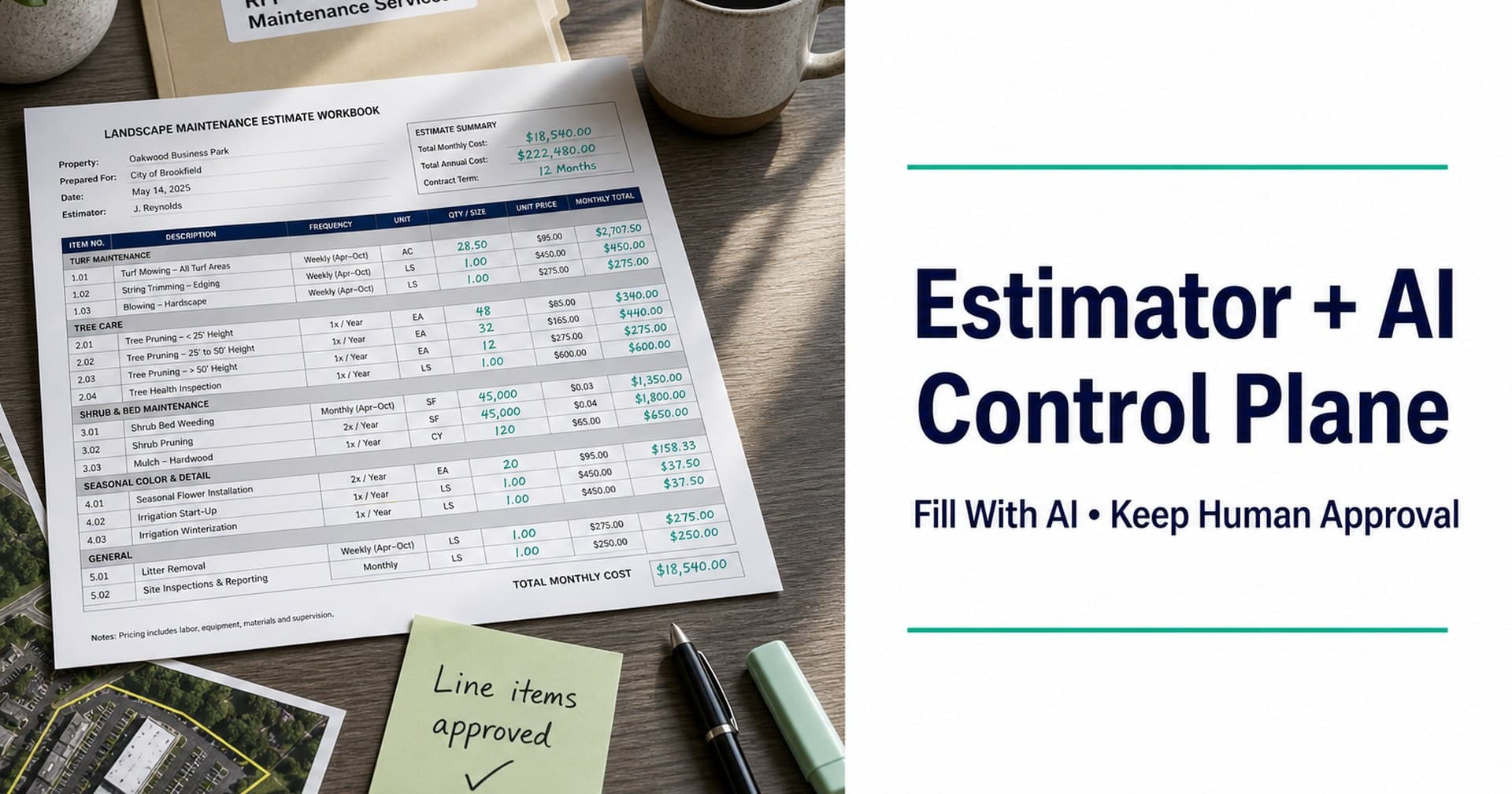
You already extracted the packet. You already have defensible site quantities. Then the estimate still takes half a day, because someone has to retype RFP frequencies, exclusions, and mapped acres into line items by hand.
That middle desk work is where mid-market commercial landscape bids lose hours. Not because estimators lack judgment. Because the context that should populate the estimate lives in a PDF highlighter set and a map tool, while the price lives in a workbook that starts blank every time.
An AI control plane for estimating is how more desks close that gap: software that suggests and fills line-item details from extracted RFP context and mapped site quantities, while the estimator keeps approval on what actually ships in the number.
This guide is for estimating and bid managers who price commercial and municipal landscape work. It covers what an AI control plane actually does, where human approval belongs, and what it must never pretend to be.
The estimate is still your job
AI that “builds the bid” without a named gate is a liability pitch. Commercial landscape pricing carries:
- Scope truth from the packet (frequencies, standards, exclusions, alternates)
- Quantity truth from the site (boundaries, turf, trees, shrubs, hardscape, whatever the scope demands)
- Commercial judgment (crew productivity, risk, margin, what you will and will not bid)
The first two can be structured and suggested. The third stays human. An honest AI control plane landscape estimating story is fill with AI, keep human approval, not autopilot wins.
What “AI control plane” means on an estimating desk
In Quoterra’s shipped narrative, the Estimator + AI control plane is the step after Rapid Extraction and AI Site Mapping, and before Bid Package help for submission.
Practically, it means:
| Input the plane can use | What it may suggest or fill | What you still approve |
|---|---|---|
| Extracted RFP requirements | Line items tied to named scope / frequencies | Include, edit, or reject each suggestion |
| Mapped site quantities | Quantities and units on those lines | Quantity overrides and measurement judgment |
| Prior bid structure (where available) | Familiar line patterns for similar packages | Final structure and commercial terms |
The control plane is a co-pilot for the estimate workbook, not a replacement for the estimator’s signature on the number.
It is also not a synonym for every AI buzzword in landscaping software. Dedicated takeoff tools measure. Ops suites run the firm. A control plane in this sense is specifically about moving structured bid context into the estimate with gates you can audit.
Why copy-paste estimating breaks under RFP pressure
A typical mid-market desk still does this under deadline:
- Read (or re-read) the PDF for frequencies and exclusions
- Pull acres and counts from a map or last year’s takeoff
- Rebuild the estimate shell in Excel or the suite estimator
- Hope nothing drifted between steps 1–3
Each handoff is a chance to drop an alternate, misapply a frequency, or price last year’s polygon against this year’s addendum. Reading the commercial landscape RFP and AI site mapping with human approval reduce upstream chaos, but the estimate still has to inherit that work.
The control plane’s job is continuity: same bid record from packet → map → line items, so you are not retyping the story you already approved.
Where human approval belongs
Treat every AI-filled field as a proposal, not a fact:
1. After extraction, before deep pricing
Confirm the structured requirements you care about (scope buckets, frequencies, mandatory forms that affect pricing) before you let suggestions cascade into hundreds of lines.
2. After map quantities, before they hit unit prices
Approve boundaries and object counts (map post). Then allow those quantities into the estimate. Measuring and pricing in one unverified click is how bad acres become confident-looking totals.
3. On commercial fields the product must not invent
Do not expect, or market, an AI control plane to ship:
| Not a product claim | Why |
|---|---|
| Smart Bids (legacy name) | Not a shipped feature label |
| Regional pricing intelligence | Pricing judgment stays with the desk / sales conversation |
| Configurable markup as a magic feature | Margin is estimator/owner policy, not a demo checkbox |
| Guaranteed wins | Responsiveness and price are separate; neither is guaranteed |
Honest assist language: suggest and fill from this RFP and this map. Your team sets rates, markup, and risk.
4. Before package assembly
Lock the estimate milestone, then move to submission-ready bid package work. Packaging on a moving number is how wrong sheets ship.
Fill with AI vs. “AI priced the job for us”
Buyers hear both pitches. Only one belongs in beta marketing:
| Accurate | Overclaim |
|---|---|
| AI control plane suggests/fills line-item details from RFP + site context | Autopilot estimate that needs no review |
| Estimator approves quantities and commercial terms | Regional pricing intelligence / Smart Bids |
| Continuity from extract → map → estimate | Rip-and-replace your Aspire / LMN / SingleOps suite |
| Faster rebuild when addenda change context | Guaranteed margin or win rate |
If Aspire, LMN, or SingleOps is already your system of record for ops or estimating, the useful posture is coexist: use the bid loop as the front end for messy commercial RFPs, then hand a locked estimate into the tools you already run. (More on keeping your stack.)
What good looks like for Alex (estimator) and Jordan (owner)
For the estimating / bid manager:
Fewer blank workbooks after the packet and map are already understood. Line items suggested from approved context, quantities you can override, and a number you still own in review, not a faster wrong total.
For the owner / principal:
More pursuits per season with the same estimating desk, because rebuild and retype stop eating the week. Software should expand bid capacity, not demand a larger department or a full suite rip on day one. (More on growing bid capacity.)
How Quoterra frames the Estimator in the loop
Quoterra’s shipped four-pillar narrative:
- Rapid Extraction: Structure requirements from the packet
- AI Site Mapping: Boundaries + landscape objects, with human approval
- Estimator + AI control plane: Suggest/fill line items from RFP + site context; estimator owns the number
- Bid Package: Help generate the final package for submission
The control plane is useful precisely because it sits in the middle of that loop, not as a standalone “AI estimating” toy disconnected from the packet and the map.
Ready to fill an estimate from a live RFP, not a blank workbook?
If your desk loses half a day rebuilding line items after the scope and quantities are already known, see the control plane on a real commercial landscape package.
Request a Demo: sales-guided beta, US & Canada. Bring your next RFP if you have one.
Prefer the process map first? See how it works · Explore Estimator / control plane on Features
Useful for your next bid cycle?
Talk with Quoterra